By John Eckman on January 1, 2012
This Post was imported from Open Parenthesis » wpbook and was written by John Eckman
A few months ago I discussed the Future of WPBook in this space, specifically what to do about Facebook’s new requirement that all applications providing canvas pages or page tabs had to be accessible via SSL. As I outlined it then, I saw the options as:
- Eliminate the canvas page and tab altogether – make WPBook just focus on cross-posting and comment import, thus potentially eliminating the SSL requirement?
- Make it optional – keep the canvas page and tab, but make them optional – only for users who want them and have the necessary SSL certificate
- Fork the plugin – make a version of the plugin which works like the current model, but also a second (WPBook Lite?) that only does cross posting and comment import? That way we could have separate directions for each to simplify setup confusion
- Stop developing WPBook – There are a number of other plugins which do Facebook posting, and at least one which does Facebook comment importing (probably more). Is it worth continuing to develop WPBook if better alternatives exist?
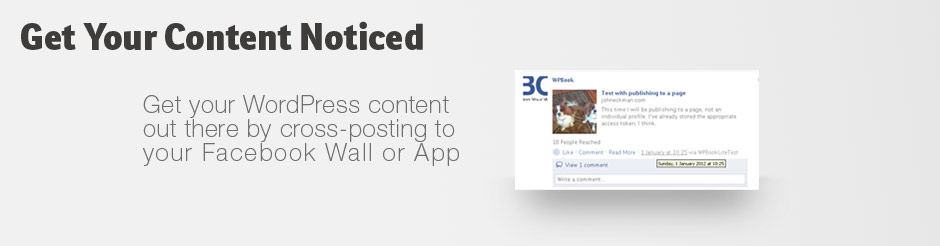
Ultimately, I settled on Option 3: Fork the plugin, and create a lighter-weight version which did not include the canvas page or tab. The result is WPBook Lite, available now in the WordPress Plugin Repository.
Should I use WPBook, or WPBook Lite?
I suspect this will be the main question folks will face, so here’s a quick comparison table:
| Feature |
WPBook |
WPBook Lite |
| Cross Post WordPress Blog Posts to Facebook |
X |
X |
| Post WordPress Blog Posts to Facebook Profiles (Walls), Pages, and Groups |
X |
X |
| Import comments made against Facebook Excerpt Posts to WordPress as native comments |
X |
X |
| View WordPress Blog inside Facebook as Canvas Page Application |
X |
|
| Add WordPress blog as a tab to a Facebook Page |
X |
|
| Requires WordPress blog be accessible via SSL (HTTPS) |
X |
|
Basically, if you are able to access your blog via HTTPS, and you WANT the view of the blog inside Facebook as a canvas application, or you want the page tab feature, you should use WPBook.
If your blog is not accessible via HTTPS, or you don’t want the view of the blog inside Facebook / page tab, then you should be happier with WPBook lite.
I’ll be updating the instructions over at WPBook.net shortly to reflect Facebook’s new look for developer settings shortly, and will also differentiate between WPBook and WPBook Lite. In theory, configuring WPBook Lite should be significantly simpler for most users.
If you’re already using WPBook and shift to WPBook Lite, you will need to regrant permissions.
Migrating from WPBook to WPBook Lite:
- View your WPBook settings page, and write down your profile ID as well as the IDs of any pages/groups to which you want to cross publish.
- Deactivate WPBook (but don’t delete it yet)
- Install and Activate WPBook Lite
- Set up a new Application for WPBook Lite – this time you should only need the “Website” settings under Integration, not any of the “App on Facebook” section settings
- Visit the WPBook Lite settings page in WordPress, fill out the required fields (APP ID, Secret, your profile ID), and save the form
- Re-visit the WPBook Lite settings page, where you should now see an opportunity to grant appropriate permissions
If done correctly, WPBook Lite should pick up right where WPBook left off.
If you run into problems, please comment in the appropriate WordPress Support Forums: WPBook or WPBook Lite.
Posted in facebook, Open Source, Plugin, Syndicated, WordPress, wpbook | Tagged openparenthesis.org
By John Eckman on June 12, 2011
This Post was imported from Open Parenthesis » wpbook and was written by John Eckman

Road to nowhere (Photo by Matthew Connor, cc-by-nc license)
Back in January, I got an unexpected flurry of WPBook support requests, and ultimately discovered they were the result of Facebook’s decision to allow people to browse Facebook in HTTPS mode.
As part of that change, Facebook introduced some new settings: “Secure Canvas URL” and “Secure Tab URL,” which would enable https connections throughout your Facebook application.
WPBook mostly worked with these two variables properly set (thanks to cshiflet for this patch).
Now, however, Facebook has announced they will require ALL apps to support https:
Today, we are announcing an update to our Developer Roadmap that outlines a plan requiring all sites and apps to migrate to OAuth 2.0, process the signed_request parameter, and obtain an SSL certificate by October 1.
What will this mean for WPBook users?
Unfortunately, my guess is that many WPBook users are not prepared to install an SSL certificate and accept https traffic on their blogs. (SSL certificates typically require that your blog have a unique IP address and cost extra at shared hosting facilities).
If you are unable to install an SSL certificate for your blog, and enable https based browsing of it, you may be unable to use WPBook after October 1, 2011 (or whenever Facebook decides to actually enforce this migration step).
More to come as we get closer to that date.
Posted in application, facebook, HTTPS, Security, SSL, Syndicated, syndication, WordPress, wpbook | Tagged openparenthesis.org
By John Eckman on March 18, 2011
This Post was imported from Open Parenthesis » wpbook and was written by John Eckman
Quick update – just tagged and released WPBook 2.1.2 – should show up in the repository shortly.
Note that if you’ve already made the changes described in upgrading from 2.0.x to 2.1 you do not have to redo them, though you will have to regrant permissions (in order to fix #s 1 and 2 below).
Three significant bug fixes:
- Access Token storage. In 2.1 and 2.1.1 I had been storing the access_token Facebook returns after granting permissions in the user_meta table, which worked, but only if you were always publishing in WordPress as the same user who granted permissions. (The same WordPress user_id). Now this gets stored in the options table and works regardless of who is logged in, which makes more sense for the publish action in the first place.
- Publish as a page. This required getting the “manage_pages” permission, so you will need to regrant permissions (visit the WPBook options page, click on the “Check Permissions” link inside the Stream/Wall options section, and then click on “regrant permissions” on the resulting page inside Facebook). Basically once you’ve granted “manage_pages” permissions, WPBook looks for the page you’ve identified as a target, and fetches and stores a new access_token that is specific to acting as that page. This access token is then used to publish to the page’s wall, so that they appear to come from the page, not from your FB user id.
- Post Thumbnails. This was more badly broken than I thought – not sure how it worked in my testing. (My guess is that FB grabs an image even when you don’t provide one, and may have accidentally grabbed the right one when I test-posted). But it works now, provided you have actually indicated a post-thumbnail (or “featured image” as it is now called in the WordPress admin).
What may still be outstanding is support for WordPress 3.0.1 and potentially other versions between 2.9 and 3.1. Please do open a thread in the forums if you are using an older version of WordPress or having other issues.
Posted in facebook, Open Source, Plugin, Syndicated, WordPress, wpbook | Tagged openparenthesis.org
By John Eckman on March 14, 2011
This Post was imported from Open Parenthesis » wpbook and was written by John Eckman
Just tagged release for 2.1.
Upgrading: be sure to read the release notes from 2.1b1, which outline steps you will need to take after upgrading from 2.0.x to 2.1. (If you previously used 2.1b1 or 2.1b2 you should already have done these steps).
See:
- 2.1 beta one release notes
- 2.1 beta two release notes
2.1 also incorporates a fix for Facebook’s recent shift to _POST rather than _GET, which flz discusses at the end of this thread.
Posted in facebook, Syndicated, WordPress, wpbook | Tagged openparenthesis.org
By John Eckman on March 13, 2011
This Post was imported from Open Parenthesis » wpbook and was written by John Eckman

Note to self, by S@Z, creative commons license
Just tagged a 2.1 beta 2 release of WPBook, which adds to the earlier release 2.1 beta 1 some new tricks:
- Post as Note in Facebook. Based on a patch supplied by sebaxtian in the forums, this option changes the posting type in Facebook from a regular story (an entry in your news feed) to a Note, using the Facebook Notes application.
- Custom Themes. Based on a patch from BandonRandon, this functionality looks first for an installed theme named ‘WPBook’ and if it finds that uses that theme over the default supplied theme. This way, advanced users can change the appearance of their WPBook powered blogs inside Facebook and not have those changes overwritten with each new release. I will be sure to note in future releases when any new functions are introduced or significant changes made to the theme files.
I haven’t, unfortunately, gotten much feedback on the beta. I say unfortunately because I think that’s a result of few people testing it – I suppose it’s possible it is just working for everyone but I think it has seen few downloads. (There’s one reported error in the forums, but I can’t isolate what’s causing it).
So please do test this one – remember that if you are upgrading from 2.0.x you will need to make the same changes to your settings as described in the release blog post for 2.1 beta 1 .
Report on your success or failure in the forums – thanks.
Posted in facebook, Syndicated, WordPress, wpbook | Tagged openparenthesis.org
By John Eckman on March 6, 2011
This Post was imported from Open Parenthesis » wpbook and was written by John Eckman

I’ve just tagged earlier today a 2.1b1 (beta 1) release of WPBook. Please download it and test it, and report back what you find here or (preferably) in the forums.
Make changes to your Facebook Application settings described below after installing WPBook 2.1 but before trying to visit application pages!. We’ll update the official WPBook documentation once we’ve got a few folks testing the new version and can move to a 2.1 release.
This release is the first to use Facebook’s OAuth-based authentication protocol, Graph API, and new PHP SDK. I know that’s a whole lot of acronyms, but let’s just say it means we’ll stay current as Facebook makes obsolete some of the older ways of integrating to Facebook.
New features:
- Facebook Like button on posts, rather than Share button. The like button now works in a very similar fashion to the older share button (it posts into the users news feed when he/she likes something). It also resolves to the external url, so if you’re using a Facebook Like button on your blog outside Facebook, likes inside Facebook will get counted as well.
- iFrame based tabs. Unlike the old FBML based tags, iFrame based tabs (which you can use on “new” page profiles) can include videos and other full html objects.
- WPBook now uses post_thumbnails (“featured image” set in the post edit screen) for wall posts, which should yield more consistent results
- WPBook now requires WordPress 2.9 or later
In other words, this is really mostly a back-end cleanup release.
When you install, you’ll need to make a number of changes:
- In WPBook Settings, there’s now a box for “App ID” rather than “API-key.” You’ll need to change this as if you had WPBook before 2.1, it will be set to your API Key – you’ll need to change it to your App ID
- In WPBook Settings, go into the Stream/Wall section, make sure your Profile ID and Page ID are set correctly, and click on the Check Permissions link. Even if you previously had permissions set correctly, you’ll need to re-grant them in order to store successfully an access token that will give WPBook the ability to connect to Facebook even when you are offline. The Check Permissions page itself (shown inside Facebook, see below) now tries to give an indication of the current status of all permissions and necessary steps.
- Update your Facebook Application settings – go to your Facebook application and change the Advanced Tab settings to match the below – enabling OAuth 2.0 and Post for iFrames Canvas urls
- Update your Facebook Application settings for Page Tabs. If the page you want to add the tab to is using the old page style, leave tabs set to FBML and
?app_tab=true&fb_force_mode=fbml (as before). But if the page to which you want to add the tab is using the new profile layout, change tabs to iframe, and change the tab url to ?app_tab=true, leaving out the &fb_force_mode=fbml bit.
Here’s what the new “Check Permissions” page looks like:

And here’s what the “Advanced” tab of your Facebook Application settings should look like for 2.1 or later:

I’ve validated that it is working for me on two different WordPress blogs (with different Facebook Applications):
- Posting to individual profile Wall on post publish, including featured image
- Posting to Application Profile Wall, Page Wall, and Group Wall, including featured image. (One type of wall at a time – is there interest in posting to multiples at once?)
- Importing comments from individual profiles and from page walls – based on wp-cron, running hourly
-
- Showing canvas pages with new OAuth based permissions
- Showing iFrame based tabs or FBML based tabs, depending on the string entered in the url box of the Facebook settings for Tabs – iFrame based tabs only work on new style profiles
Posted in facebook, Syndicated, WordPress, wpbook | Tagged openparenthesis.org
Facebook Graph API – Post Versus Link
By John Eckman on January 3, 2012
This Post was imported from Open Parenthesis » wpbook and was written by John Eckman
Difficult Choices. (Photo by Beppie K, cc-by-nc-sa license)
Over in the WordPress Support forums for WPBook, WPBook user TheCitizen was asking about the absence of “share” links on Wall Excerpts posted via WPBook. I responded that in my experience posts made via the API (by an App, rather than by the user directly) don’t get “share” links inside Facebook.
He pointed to Facebook Page Publish, a WordPress plugin which also cross-posts to Facebook (though it does not import comments). Posts made via this plugin do get a share link.
Digging in a bit, I realized that Facebook Page Publish uses the Link object in the Facebook Graph API, whereas WPBook and WPBook Lite both use a Post object.
What’s the difference? That’s what I’m trying to determine now.
Links are posted with these fields (ref):
The rest of the values “are taken from the metadata of the page URL given in the ‘link’ prarameter.
Posts are created with these fields (ref):
So Posts are more complex than Links, whereas Links rely on getting the Facebook metadata from the page returned by the link.
How does each appear, on the timeline and in the news feed?
Here’s the same link, posted twice, using the Facebook Graph API explorer – the first time (the lower box) is as a Link, the second time is as a Post:
That is how they look on the timeline – logging in as another FB user and looking at News Feed, I could not even see the Post type, only the Link type:
Though I’m certain that in the past I have seen items in the newsfeed which were posted as Posts. (Maybe it was that I’d just posted the same link as a link, so Facebook was hiding the second item as spam? I’ll retry with something different).
(Update: here’s what a Post type object looks like in the Newsfeed – the item for this blog post):
A few things to note:
Given all this, plus the fact that I found it hard to find the Post type in the newsfeed of an account I know follows me, I wonder if we shouldn’t switch to posting blog posts as the “Link” type.
The challenge is that the “link” type depends on the target blog having the right open graph metadata in place already (unless wpbook / wpbook lite try to actually provide that metadata).
When Facebook visits the link, it looks for Open Graph Metadata – which your blog’s theme may or may not provide.
Using the “Post” object allows WPBook / WPBook Lite to control the message being sent to Facebook more explicitly, rather than relying on metadata.
The part that worries me though is how frequently “Post” type objects get into News Feeds. Since Facebook controls the algorithm which decides what, out of the hundreds or thousands of possible posts in any given user’s feed, to show that user, I have no way of knowing whether object type (Post vs Link) has any impact.
Anyone have data on that to share?
Posted in Comment, cross post, facebook, Like, link, Open Source, Post, Share, Syndicated, WordPress, wpbook, WPBook Lite | Tagged openparenthesis.org